
The Venusia Magna HUD Guide
Navigating Mechanics, Economy, and Survival in Second Life
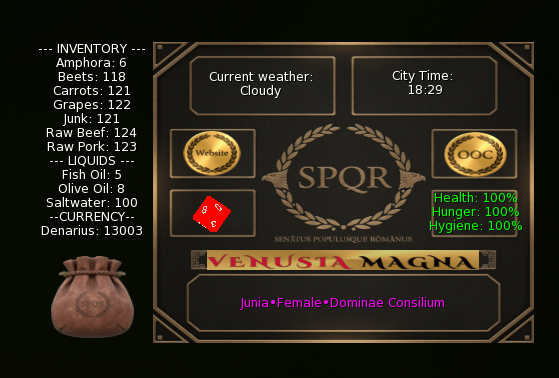
Welcome to Venusia Magna. Our customized HUD is the magical link that connects your character directly to the living environment around you. It helps translate the rich mechanics of Roman life into your daily gameplay. The system synchronizes the weather for everyone, tracks your physical health, and gives you a fully functional inventory. Having a clear understanding of how to use this tool will guarantee a very smooth Roman roleplay experience in Second Life.
Required Setup and Synchronization
Getting set up correctly is a very important first step. To make sure your character data saves and syncs properly with the server, please follow this exact order whenever you log in to the sim.
1. Attachment Order (CRITICAL)
- Attach the Titler First: Your Titler holds your basic legal identity and status in the city. The database needs to read this information before it can safely apply any of the environmental mechanics to your character.
- Attach the HUD Second: Once your Titler loads successfully, you can attach the main HUD. This will beautifully synchronize your health, inventory, and environment.
2. No Extra Combat Attachments Needed
In the past, players had to equip separate RCS (Roleplay Combat System) attachments if they were actively participating in physical fights or training in the Arena. Thanks to our latest updates, our custom combat system completely removes the need for third-party gear. Everything you need for tactical combat is now elegantly integrated directly into your main Venusia Magna HUD!
Synchronized Environmental Display

Our HUD makes sure that every single player in the sim experiences the exact same world conditions. This creates a deeply realistic foundation for collaborative writing.
1. Current Weather Status
- Synched Weather: The display shows you the current weather, which can range from clear, sunny skies to a gentle light snow. This status updates automatically for everyone currently roleplaying on the sim.
- Roleplay Expectation: We love seeing players react to these conditions naturally during scenes. You might write about your character seeking shelter during a sudden downpour or fanning themselves in the summer heat.
2. City Time and Speed
- Synched Time: The HUD displays the active time of day. This guarantees everyone experiences the same sun position and time-based events.
- Faster Passage: Time passes slightly quicker in Venusia Magna than in the real world. This design choice gives us a dynamic day and night cycle, enabling wonderful narrative development in much shorter periods.
3. Profile Details
This section is a quick visual confirmation of your identity and legal standing within the city walls.
- Name: Your legal identity (such as your Tria Nomina or Slave Name).
- Gender: Your chosen character gender.
- Role/Status: Your current occupation or rank within the city hierarchy.
Core Mechanics: Health and Survival
Taking care of your character’s physical state adds a highly engaging layer of realism to your daily activities, commerce, and crafting.
1. Health and Hunger Connection
- Health: You start at 100%. This number reflects your character’s overall physical well-being.
- Hunger Link: Your health is directly tied to your hunger level. A hungry character will begin to lose health at a faster rate.
- Illness: Your character has a chance to catch illnesses over time. These sicknesses cause a slow, continuous health drain until you seek proper treatment from a Medicus.
2. Health Restoration and Incapacitation
- Restoration: Eating food is a wonderful and necessary part of your daily life because it restores health. You can buy delicious meals from local merchants or try crafting them yourself.
- Incapacitation: A character reaching 0% health becomes incapacitated and physically unable to move until they receive help.
3. Hygiene Stat
- Hygiene Depletion: Hygiene is an essential stat that depletes at a much slower rate than your health or hunger.
- Bathing & Restoration: The only way to recover your hygiene is to spend some relaxing time in our Roman baths. This provides a wonderfully immersive opportunity to mingle with other citizens while taking care of your character’s needs.
Tactical Combat and RLV Capture Mechanics
Whether you are a Gladiator seeking glory in the arena, a City Guard keeping the peace, or a Slaver securing new property, Venusia Magna features a fully integrated Second Life roleplay combat and capture system. To initiate these mechanics, simply click the red d12 dice button on your HUD interface.
1. Network Ping & Engagement
- 10m HUD Ping: Before engaging, your HUD will utilize a local network ping to detect active users within a 10-meter radius. You can only initiate combat or capture sequences with avatars who are actively ready for roleplay, preventing unwanted interruptions.
2. Custom Tactical Dice-Based Combat
While many roleplay sims still rely on legacy RCS (Roleplay Combat System) attachments, Venusia Magna features a custom, lightweight system built directly into your HUD. It has been carefully designed to prioritize narrative storytelling and strategy over rapid mouse-clicking. Combat is resolved using 1-10 dice rolls.
- Round-Robin Logic: To ensure absolute fairness, players take turns initiating the round. You will receive an on-screen notification when it is your turn to choose your stance.
- Simultaneous Resolution: Combatants secretly lock in their choice to either Attack, Block, or Dodge. The animations and results only trigger once both players have made their decision, creating a highly cinematic “clash” effect.
- Strategic Damage & Health Integration: Your tactical choices matter. A Failed Dodge results in full damage, while a Failed Block mitigates the blow to half damage. If both players aggressively choose to Attack, a chaotic clash occurs, dealing random damage (5–10%) to both fighters. All combat damage is fully automated and immediately depletes your main HUD health bar.
3. The Capture & Restraint System
For scenarios requiring physical detainment, our system utilizes RLV (RestrainedLove Viewer) integration to provide a seamless and deeply immersive capture experience.
- Physical Ropes & Dragging: Upon accepting a capture request, a physical “Ropes” object will automatically rez and attach to the captive’s right forearm. The captive will then be physically dragged behind the capturer.
- Movement Restriction: While properly captured and restrained, the captive’s movement keys are strictly locked, and their HUD cannot be detached.
- Safety Fail-safes: Player consent and comfort are our absolute highest priorities. The system features an emergency OOC Break button for immediate releases. Additionally, if the capturer detaches their HUD, leaves the sim, or logs off, the system will trigger an Auto-Release to ensure the captive is never permanently stuck.
Inventory, Crafting, and the Economy
The inventory system gives you a highly interactive way to gather resources, manage your daily supplies, and take part in the local economy.
1. Inventory Updates
- Your screen will update automatically with a friendly notification whenever you harvest raw materials like meat, grapes, or fresh carrots.
- Storage: The system securely stores all of these gathered ingredients for you to use later.
2. Resource Utilization
- You can use your stored ingredients to craft wonderful finished goods like food, wine, and furniture.
- Roleplay Loop: This creates a highly rewarding cycle where you gather materials, craft products, and then sell them for a handsome profit or consume them to keep your character healthy.
3. Cooking Delicious Meals
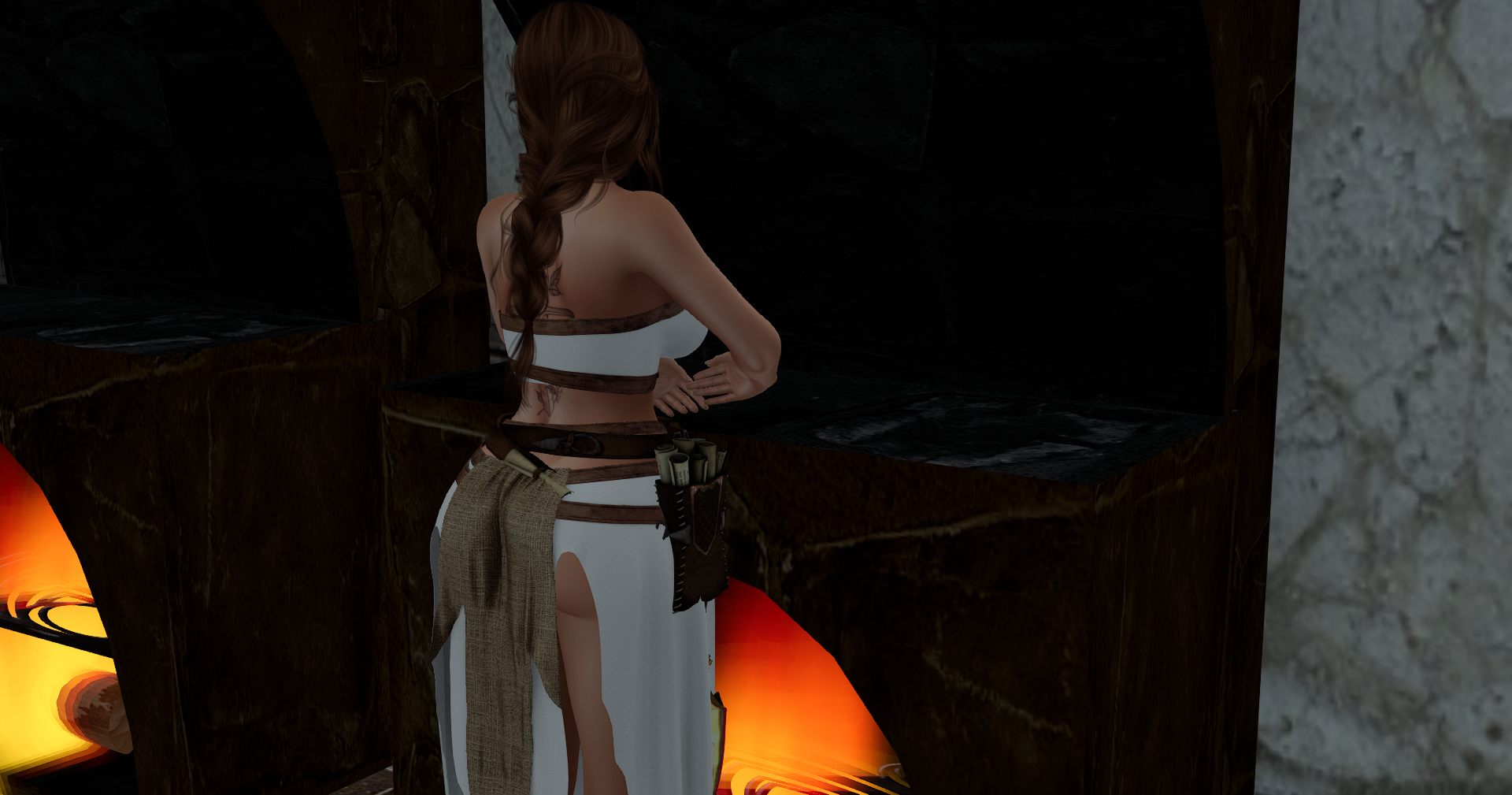
We have a wonderful cooking system that lets you use your gathered inventory ingredients to prepare hearty meals. You can approach any of the cooking stoves placed around the city to begin. The stove will automatically check your inventory to see exactly what ingredients you have available. If you have the right items, you simply choose what you want to make, and your character will start cooking.
Current City Recipes
- Roman Pork: 1x Carrots, 1x Beets, 1x Raw Pork
- Steak: 1x Raw Beef
- Baked Vegetables: 1x Milk, 2x Carrots, 2x Beets
- Baked Fish: 1x Milk, 2x Carrots, 2x Fish
4. The Fishing System
- You can grab a fishing rod by simply clicking on specific posters placed around the sim.
- Cast your line into the local waters to try and catch a fish. You can sell your fresh catch directly to the Merchant to earn Denarius.
- You can also keep the fish to try and discover new recipes for your cooking endeavors.
5. The Pickpocket System
The HUD includes a localized pickpocketing feature for those interested in exploring the criminal underworld.
- Close-Range Interaction: You can attempt to pickpocket any citizen standing within close proximity to your character.
- Chance-Based Success: The outcome of your attempt relies entirely on chance.
- Delayed Awareness: A successful attempt means the victim will remain unaware that their coins are missing for a few minutes, providing a crucial window of time to slip away unnoticed.
- Immediate Detection: A failed attempt means the victim receives an immediate notification of your crime before you even receive your own failure notice, allowing them to react instantly.
City Infrastructure and Donations
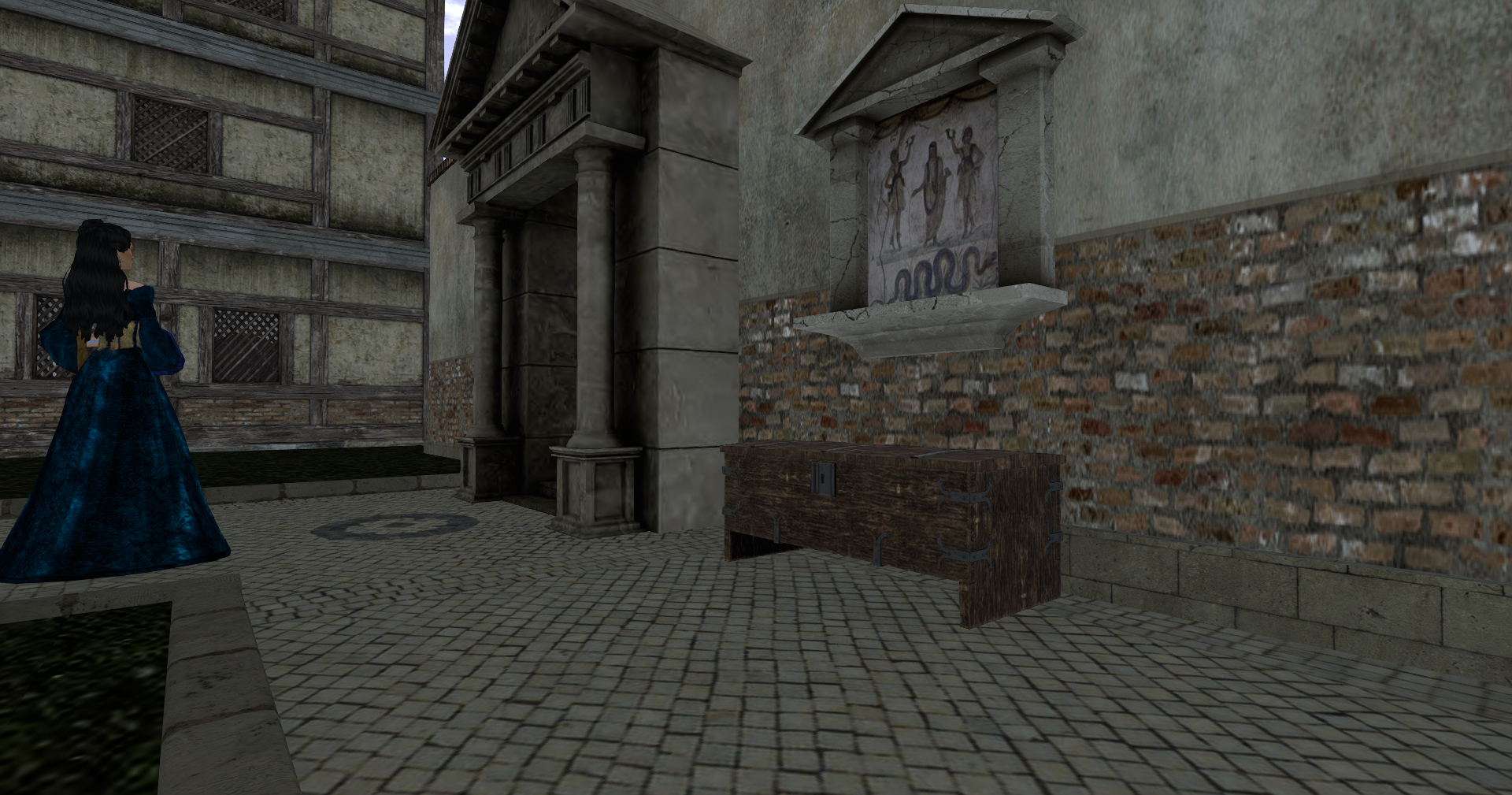
We love giving players the ability to interact directly with the city infrastructure. You can use these dedicated objects to help fund massive events, pay your taxes, and actively support the growing community.
1. Storage Crates
- You will find large wooden storage crates placed strategically around the city streets.
- You can interact with them to generously donate gathered items directly from your inventory.
- The city uses these donated goods to supply large community events and fund massive feasts prepared by our hardworking slave caste.
2. The City Coffers (Aerarium)
- The beautiful main city coffers sit right outside the Basilica.
- Citizens use these coffers to pay their taxes, settle any legal fines, or donate Denarius to help fund the Empire.
Basic Controls and Navigation
The HUD includes a few helpful buttons to give you quick access to the community and let others know your current availability.
1. OOC Button
- Function: Toggling this button switches your HUD and Titler into Out of Character mode.
- Protocol: This is a polite way to alert everyone around you that you are currently unavailable and taking a quick break from active roleplay.
2. Website Button
- Function: Clicking this button opens this very website in your browser.
- Protocol: This is perfect for quickly referencing rules, checking the calendar for upcoming events, or reading the Roman Gods and Omens Guide.
3. Immersion with the /1 Command
- Function: Typing
/1before your text will output what you say in green italic text, beautifully formatting it using your character’s name. - Protocol: This allows a much deeper level of immersion than typing
/me, ensuring that everyone sees your true character’s name and not your Second Life display name or account name.
Step Into the Empire
Experience the wonderful mechanics, rich history, and collaborative storytelling of Venusia Magna.
Teleport to Venusia Magna